دریافت
- حداقل iOS
- 9.3
- نسخه
- 2.0.2
- امتیاز
- 3.3

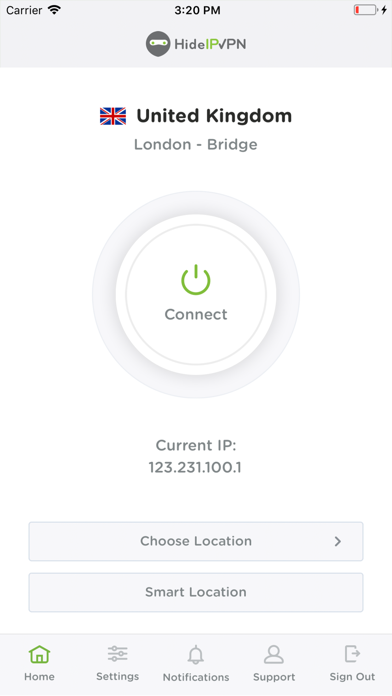



Your Apple device constantly exchanges data with the internet. Applications you use contain lots of sensitive information about you.
The best way to secure the transmissions of your mobile device is VPN.
Now, we provide you with an even easier way to connect to our VPN servers.
We will hide your IP address, encrypt all your traffic, secure all your sensitive information (passwords, mail credit card details, etc.) form hackers on public networks. We will hide your tracks from your ISP.
- Getting started!
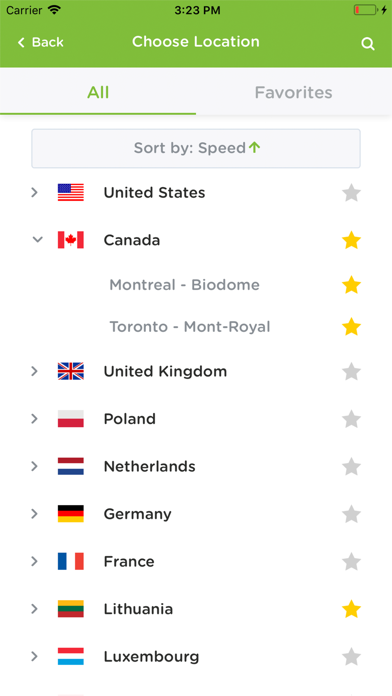
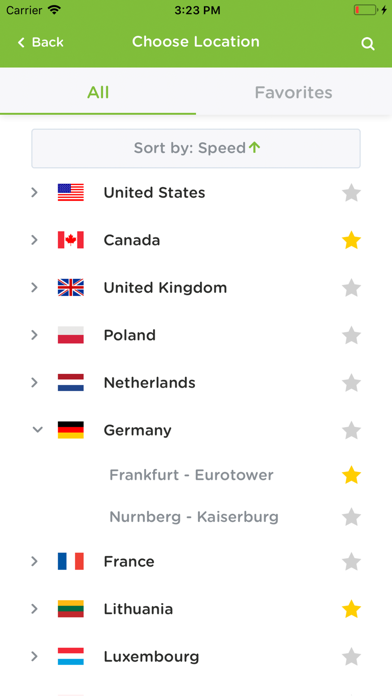
Just install the app, log in, choose the server you want and press the "Connect" button. That's all you have to do protect your online privacy and anonymity.
- Why do you need VPN?
Using a public network provides risks for your security and privacy. Your personal data can be stolen while using free wi-fi in hotels, cafes, airports etc. So our VPN app provides you a high-level protection anywhere and anytime.
- What does purchasing a subscription provide?
Access to our VPN servers, Smart DNS service, Proxy servers using any iOS device you have. Also if you have any issue, our support team will help you anytime 24/7, whenever you need we will it.
روی دستگاهی که قصد نصب برنامه را دارید وارد حساب کاربری شوید.
پکیج نصب را دریافت کنید و مراحل فعالسازی دستگاه را طبق راهنما انجام دهید.
بعد از ثبت دستگاه، اپ استار را نصب کنید تا به برنامههای آیفون دسترسی داشته باشید.
اپ استار را باز کنید، «HideIPVPN» را جستجو کنید و دکمه دریافت را بزنید.